Fair teams for pickup hockey, in one tap.
Even Strength splits tonight's skaters into two evenly matched sides: goalie for goalie, defense for defense, forward for forward, using each player's skill rating. No more lopsided games and no more arguing over who's on which team.
Coming soon to Google Play and the App Store. No account to make: your roster stays on your phone.
Try tonight's skate
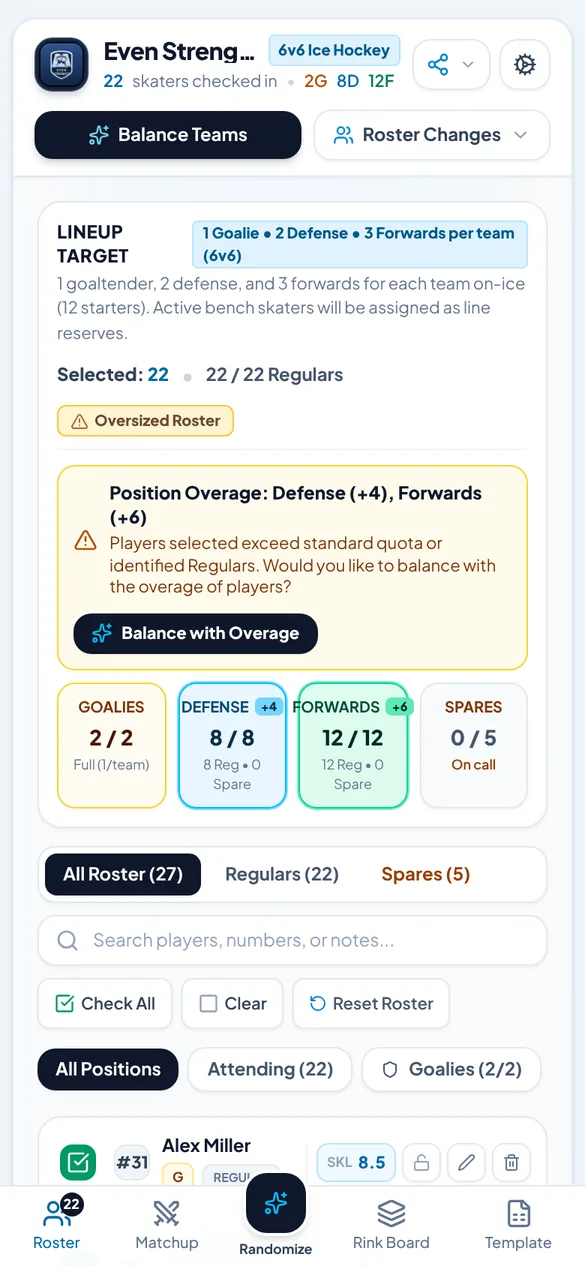
These are the 27 players that come with the app as a sample: 22 Regulars and 5 Spares. Tap a name to check that player in or out, then balance. Each re-shuffle is another fair split.
22 checked in · 2 G · 8 D · 12 F
Regulars
Spares
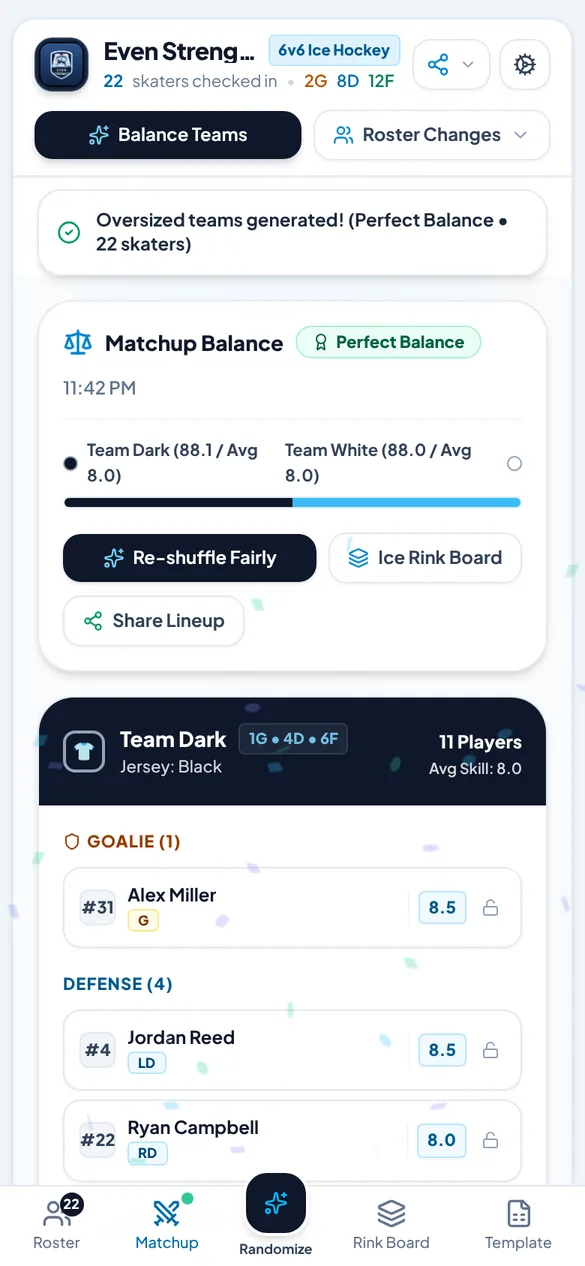
Perfect. The sides are 0.1 apart in total skill. Goalies and defense are closely matched too.
Team Dark
Goalies
- 31Alex MillerG8.5
Defense
- 4Jordan ReedLD8.5
- 22Ryan CampbellRD8.0
- 6Tyler BrooksLD7.8
- 3Marcus HayesLD7.4
Forwards
- 19Jason CarterC9.0
- 11Eric BennettC8.4
- 18Josh FosterRW8.1
- 24Kyle PhillipsRW7.8
- 23Trevor RossC7.5
- 25Andrew CooperRW7.1
11 playersTotal skill 88.1 · average 8.0
Team White
Goalies
- 30Chris TaylorG8.0
Defense
- 8Dave WilsonRD8.8
- 14Sam ParkerLD8.2
- 15Kevin WalshRD7.6
- 7Brian EvansLD7.2
Forwards
- 9Dan MitchellC8.7
- 17Matt SullivanRW8.3
- 21Lucas GrayC8.2
- 12Ben AdamsLW8.0
- 10Sean MurphyLW7.7
- 16Nathan ColeLW7.3
11 playersTotal skill 88.0 · average 8.0
Lot to puck drop
Set the roster up once at home. On game night it's a tick per player, one tap to balance and one more to send the teams to the group chat.
The user guide walks through every step.
Once, at home
- Set players per side and how many goaliesSettings
- Add your Regulars and Spares, or import a Google SheetOnce
- Name the teams and pick the jersey coloursOptional
In the parking lot
- Tick who showed up1 tap each
- Tap Balance Teams1 tap
- Swap two players or lock one to a sideIf you like
Before puck drop
- Send the lineup as a text, an image or a PDF1 tap
Two fair teams, on everyone's phoneUnder a minute
What's in the app
Goalie for goalie
Goalies, defense and forwards are split first. Then total skill is evened out.
Rated 1 to 10
In half steps. Rate a player once and the app does the maths every week.
Lock and swap
Keep two brothers on one side.
12 jersey colours
Or Dark vs White, as always.
Short a goalie?
Live counts by position at check-in.
Share it four ways
Paste into the group chat or print it for the bench.
Bring your Google Sheet
Paste the link, paste the rows, or pick a CSV file.
The real screens
Captured from the app with its sample roster, at phone size.
RosterRoster tab
Tonight's check-in, counted by position
MatchupMatchup tab
Both teams, their totals and the rating
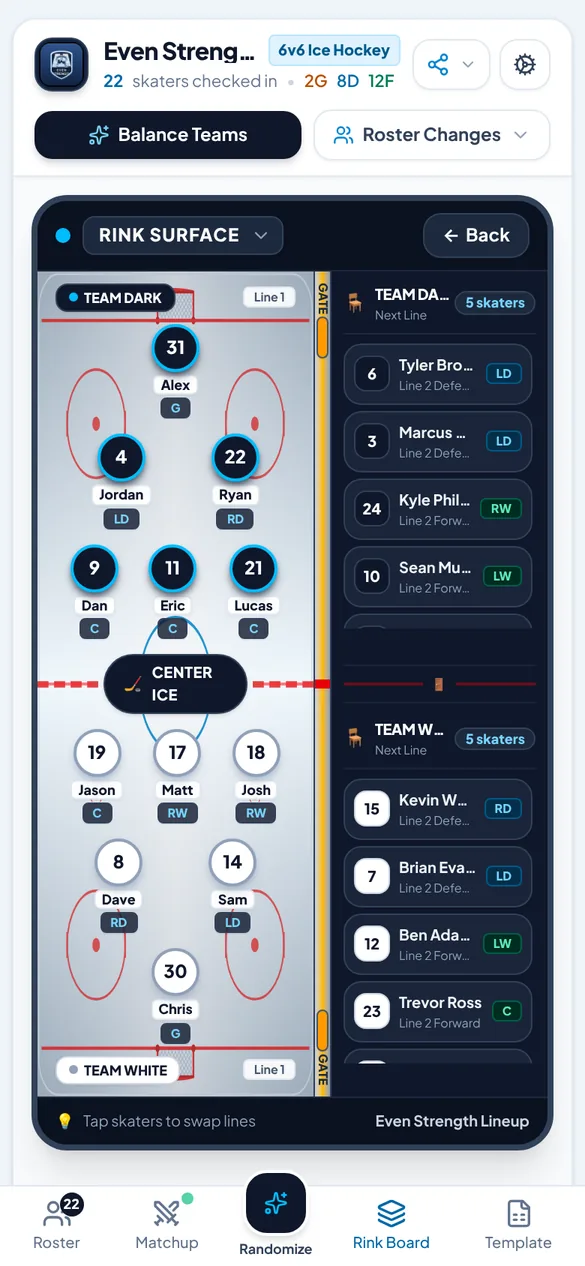
Rink BoardRink Board tab
Line 1 on the ice, line 2 on the bench
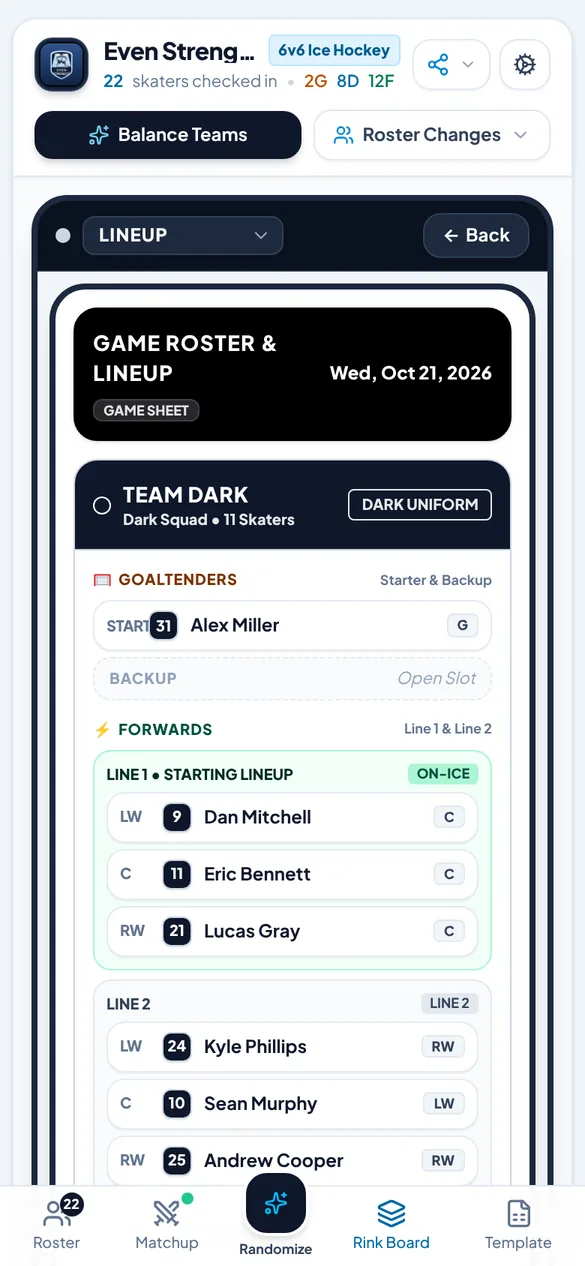
Lineup cardRink Board tab
Goalies, forward lines and D pairs
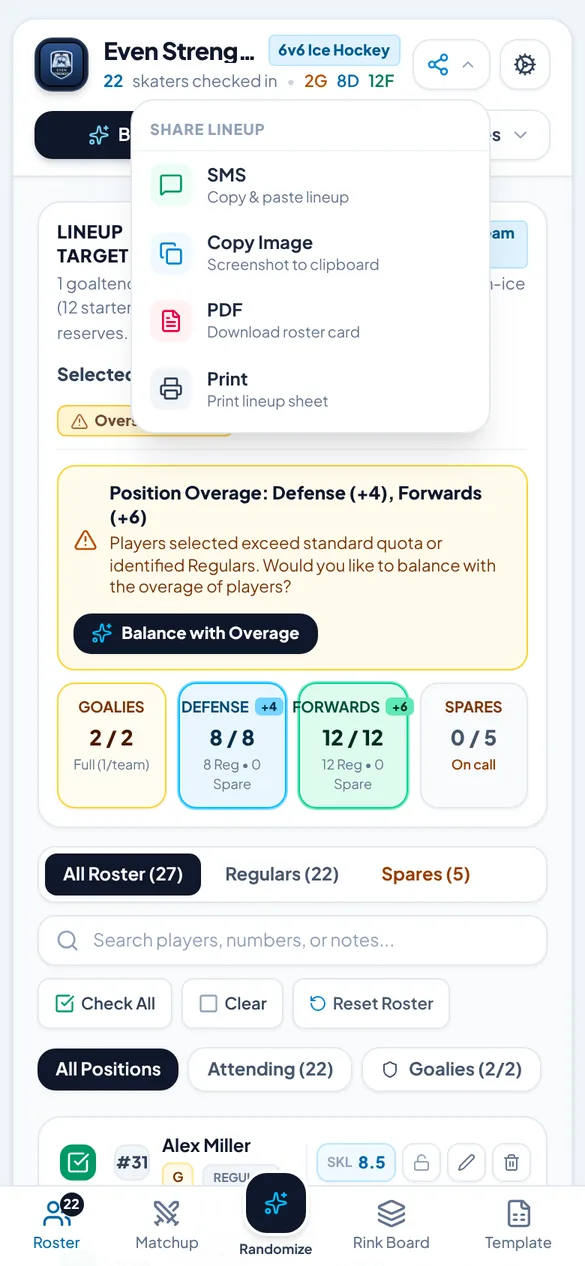
ShareShare button
Text, image, PDF or print
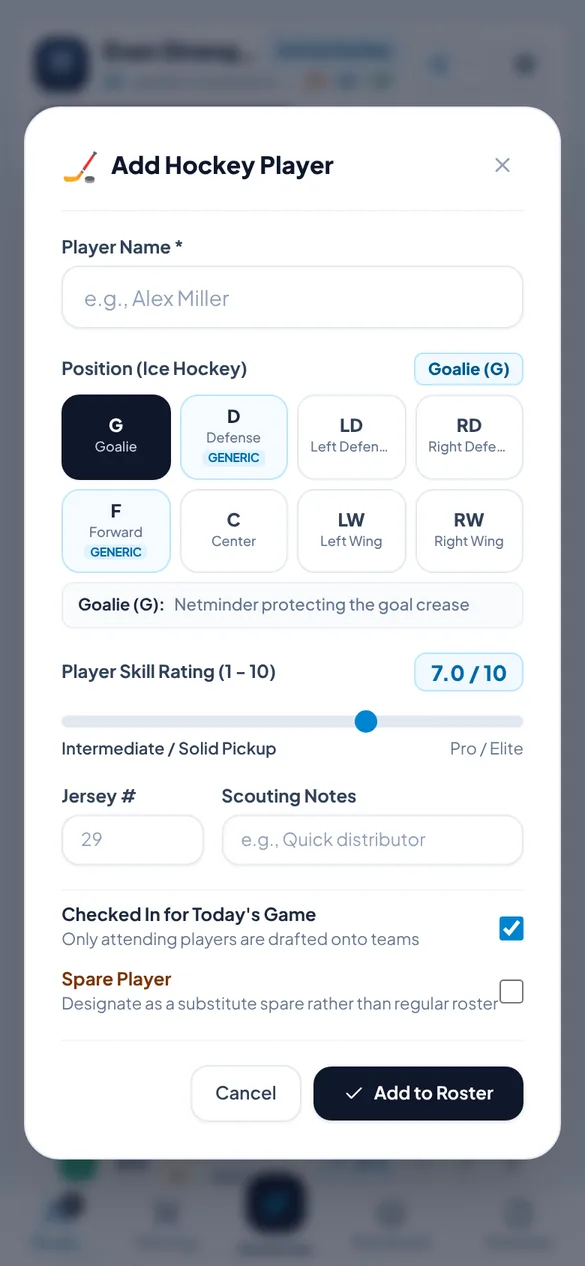
Add a playerRoster Changes
Position, skill, number and notes
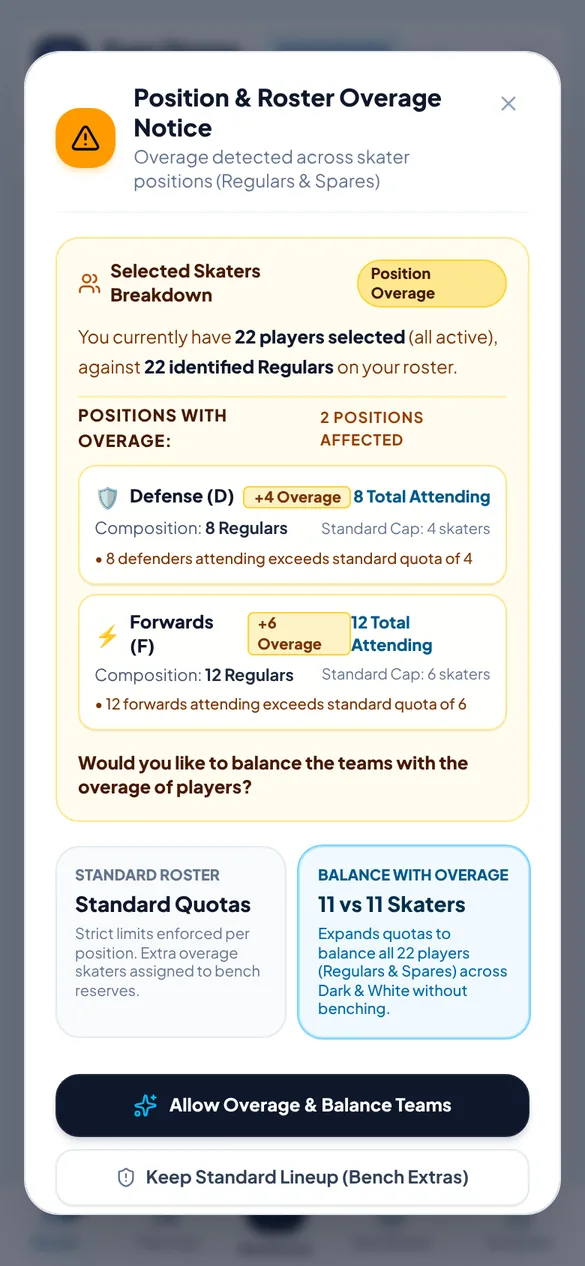
Big turnoutBalance Teams
Play everyone, or bench the extras
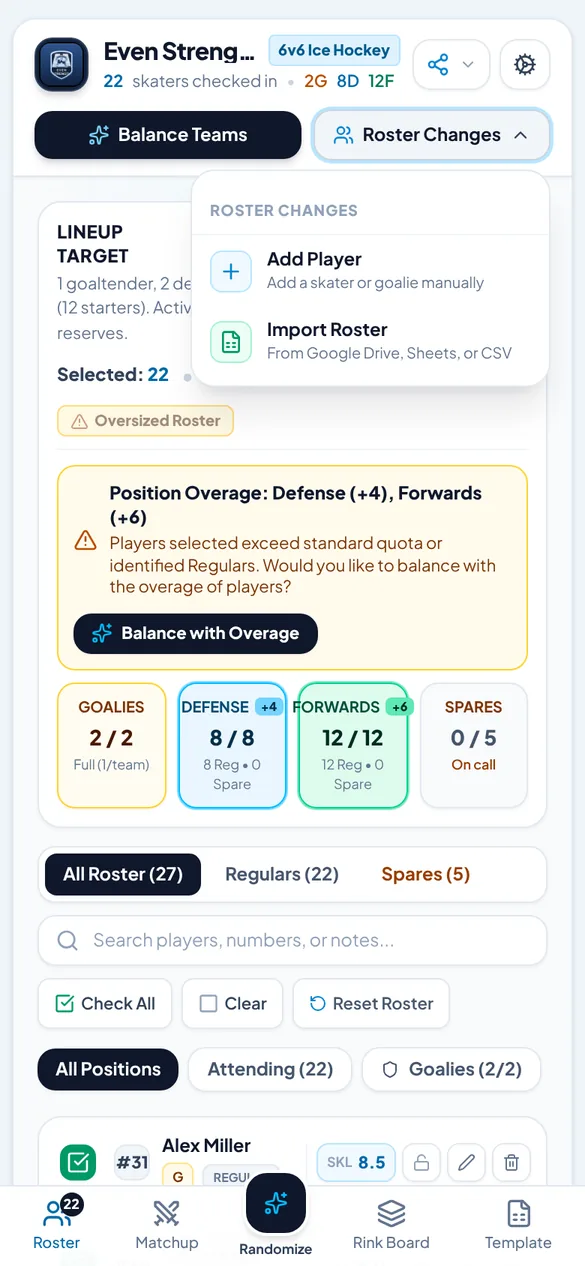
Roster changesHeader
Add, import or reset the roster
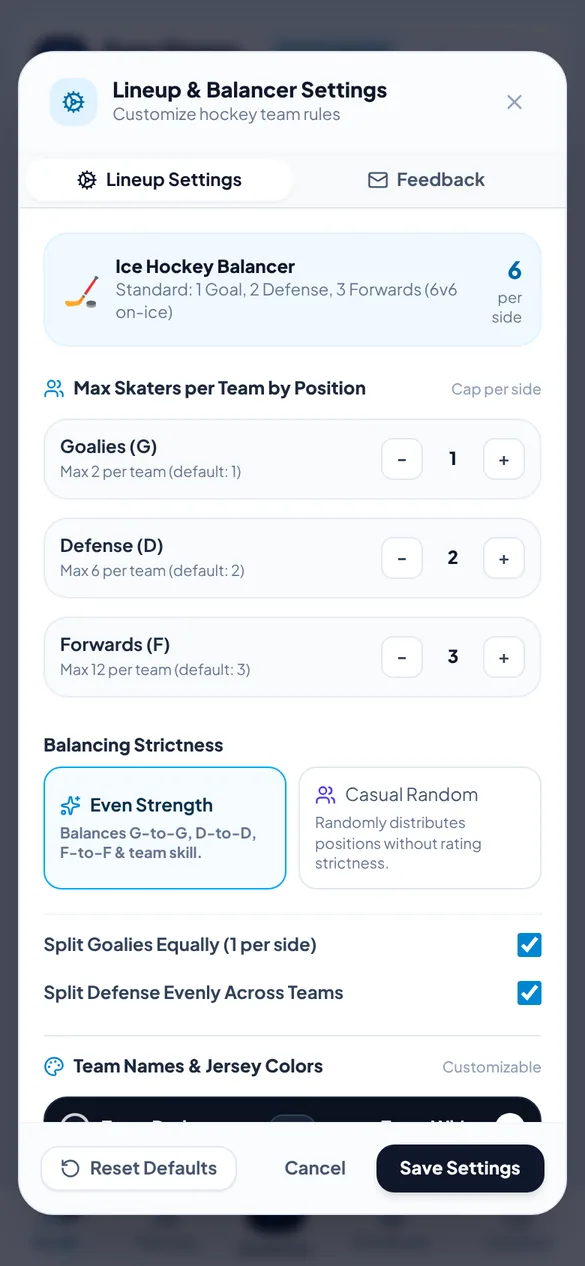
Lineup settingsSettings
Players per side, goalies, team names
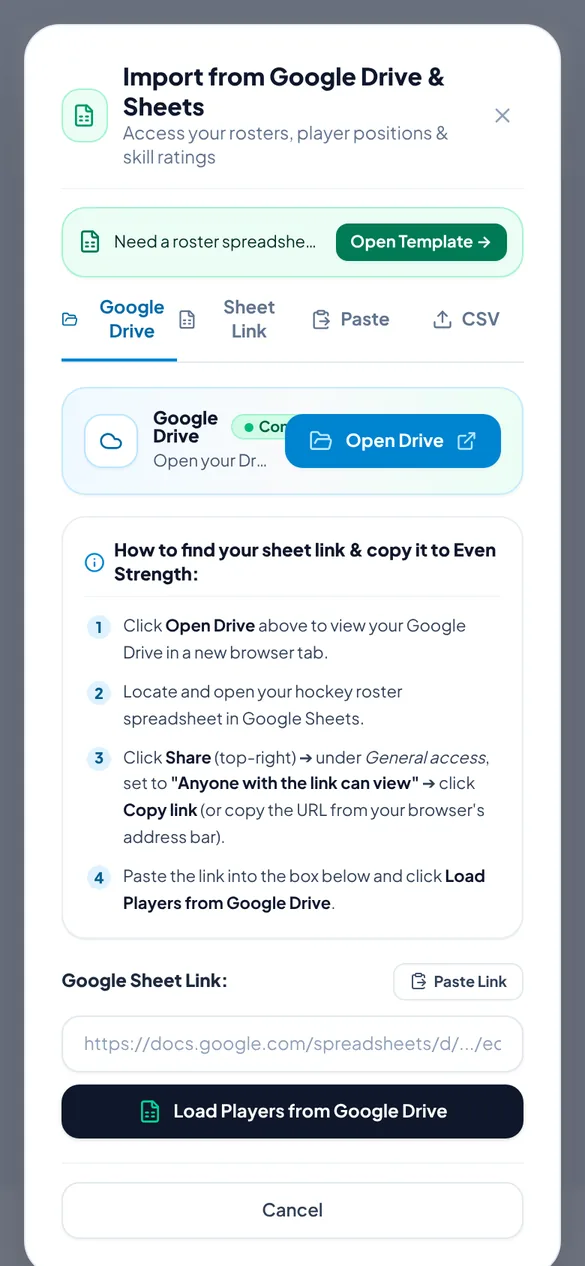
ImportRoster Changes
A sheet's link, pasted rows or a CSV
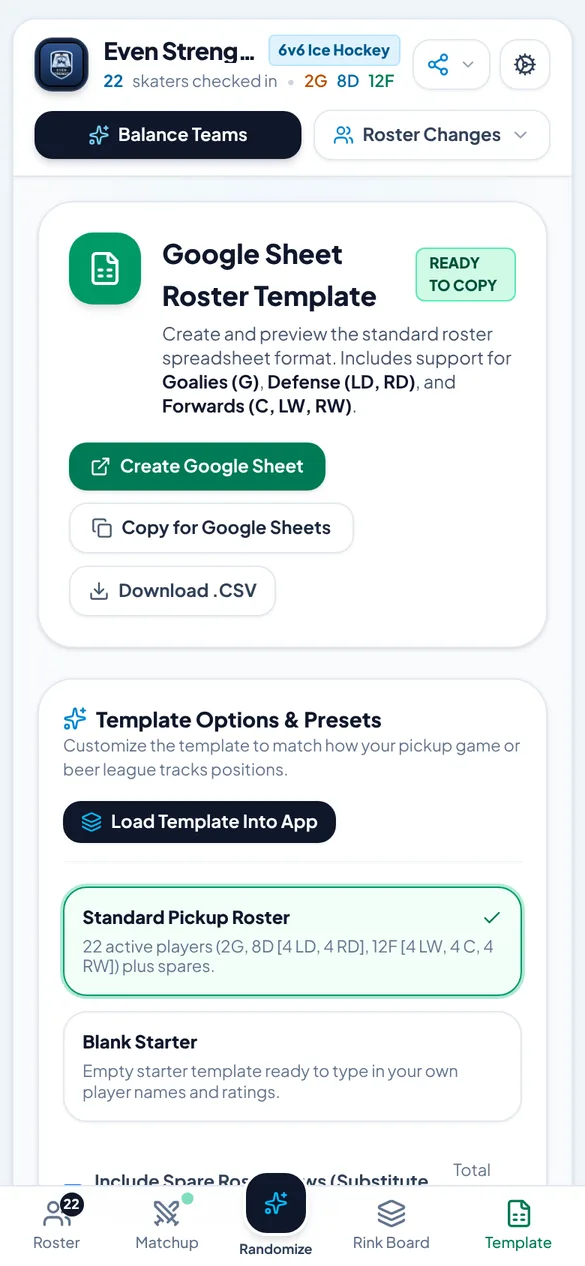
Sheet templateTemplate tab
The columns the import reads
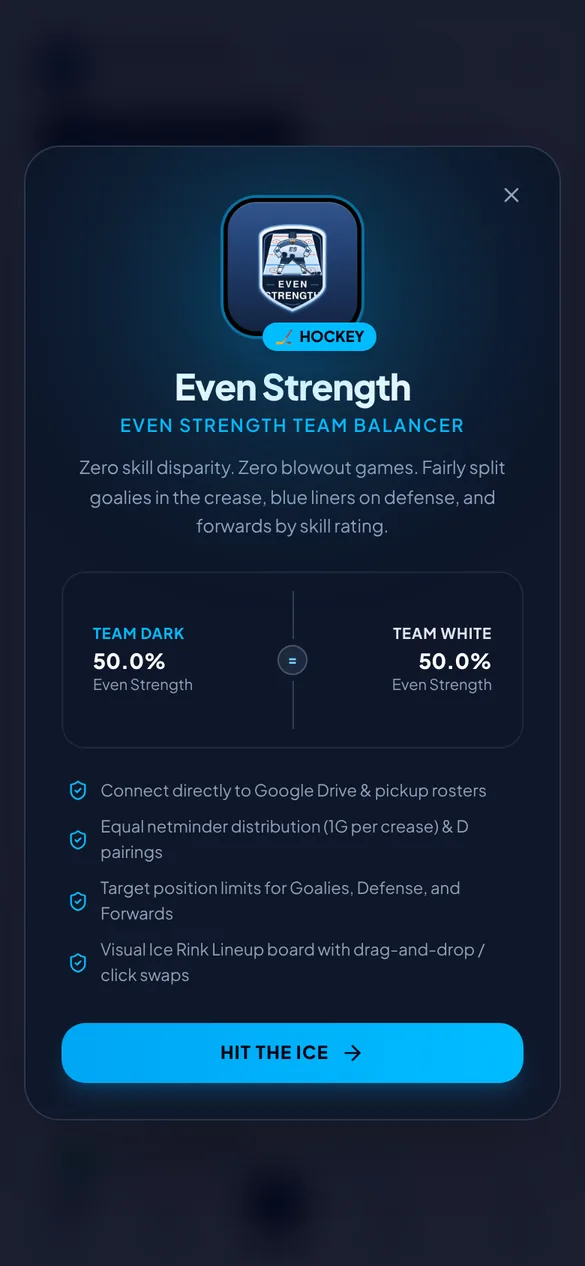
WelcomeApp icon
Where the app opens the first time
Asked at the rink
When can I get it?
Soon, on Google Play for Android phones and on the App Store for iPhone. This page will link to both stores the day the app is live.
Do my players need the app?
No. Only the organiser uses it. Players get the lineup however you share it: a text in the group chat, an image, a PDF or a printed sheet.
How does it pick the teams?
Players are grouped into goalies, defense and forwards. Each group is split between the two sides by skill rating, then the app checks the total skill on each side. It tries hundreds of splits, keeps the fairest few and picks one of them, so a re-shuffle gives you a different split that's still fair. Players you've locked to a side always stay there.
What if too many show up?
The app tells you which positions are over and asks what you'd like to do: Allow Overage & Balance Teams so everyone plays, or Keep Standard Lineup (Bench Extras).
Can I use my spreadsheet?
Yes. Make the Google Sheet viewable by anyone with the link and paste the link into the app, or copy and paste the rows, or choose a CSV file. The columns are Name, Position, Skill, Regular/Spare, Attending, Number and Notes. The guide explains each one.
Where is my roster kept?
On your own phone. There's no account, and your roster isn't uploaded anywhere. The privacy policy has the details.
No signal at the rink?
That's fine. Checking in, balancing, swapping and sharing as text, image or PDF all happen on your phone. You only need a connection to import from a Google Sheet.